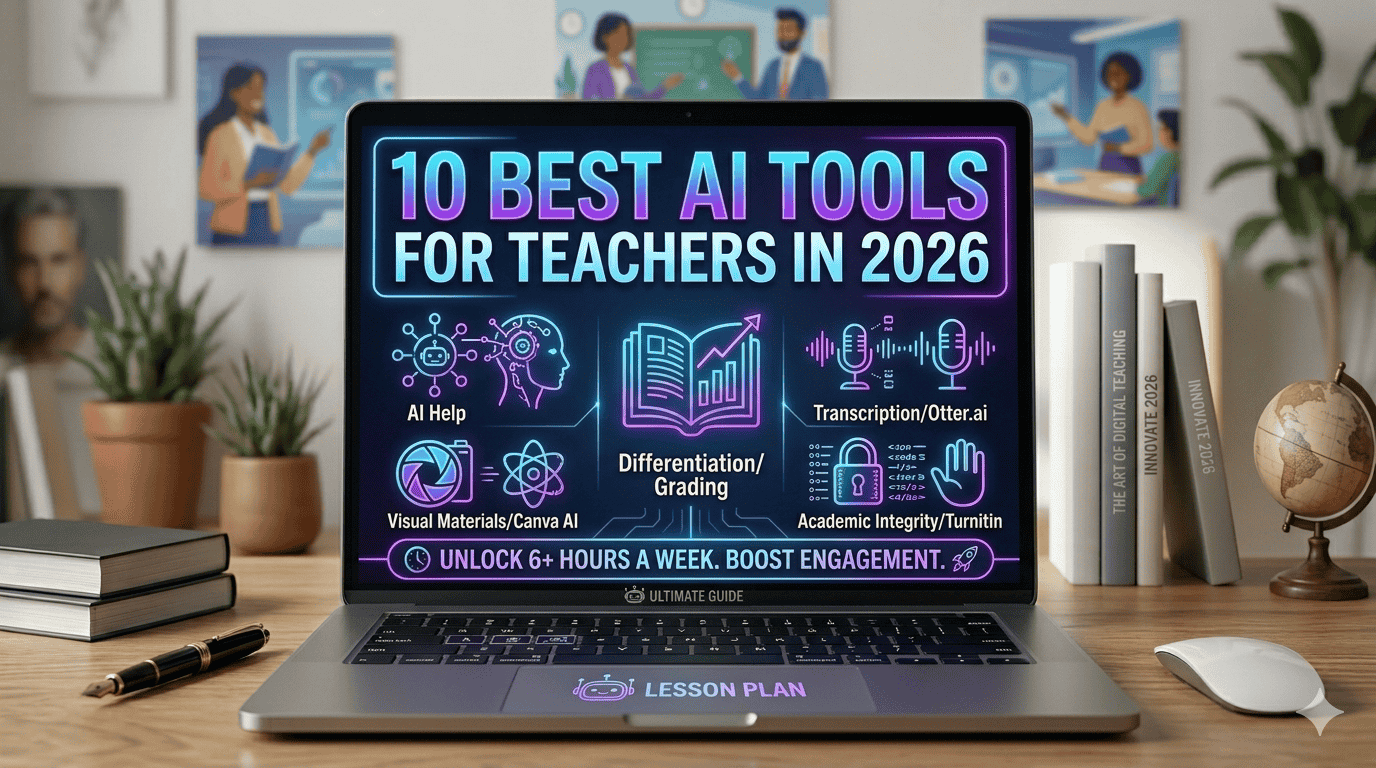
10 Best AI Tools for Teachers in 2026
AI tools for teachers are transforming how educators save time and manage their workload.
If you’re still spending Sunday evenings writing lesson plans, you’re not alone.
Most teachers lose hours every week on grading, emails, and prep work.
But the right AI tools can give you 5-6 hours back every single week.
This guide shows you the 10 AI tools that actually work in real classrooms, no hype, just practical results.
Here’s the truth:
Most AI tools are overhyped. A lot of them look impressive in a demo and fall flat the moment a real teacher tries to use them on a Monday morning. But a few of them are genuinely brilliant, the kind that make you wonder how you managed without them.
According to a Gallup survey, teachers who use AI tools every week save around 6 hours per week. That’s not a rounding error. That’s one full working day handed back to you every single week. Time you can spend on your students, your family, or simply finishing work at a reasonable hour.
This guide covers the 10 best AI tools for teachers in 2026. What they do, where they shine, where they fall short, and exactly who they’re built for. Whether you’re teaching in the US or the UK, in primary or high school, or anywhere on earth, these tools are worth knowing about.
What to Look for in AI Tools for Teachers:
Not all AI tools are created equal. Here’s what actually matters when you’re deciding whether something is worth your time:
- Does it save real time, or does it just look good in a walkthrough video?
- Can you figure it out in under 10 minutes, because that’s realistically all you have
- Is the free plan actually useful, or is it bait to get you on a paid subscription
- Is your students’ data protected: FERPA in the US, GDPR in the UK
- Is the output usable in your classroom, or does it need so much editing that you’d have been faster doing it yourself
Keep these in mind as you read through the list.
These AI tools for teachers are not just trends; they are practical solutions used in real classrooms.
Best AI Tools for Teachers in 2026:

1. MagicSchool AI:
The One You Should Try First
AI tools for teachers like MagicSchool AI are specifically built to handle classroom tasks efficiently.
- Free plan: Yes
- Paid plan: From $3/month.
- Best for: Lesson planning, parent emails, quizzes, differentiation
If you only try one AI tool this year, make it MagicSchool AI.
It was built specifically for teachers, not adapted from a business tool or bolted together from something else. It was genuinely designed for classroom use from day one. That difference shows the moment you start using it.
There are over 80 tools inside it. Lesson plan generator, quiz builder, parent email writer, IEP goal creator, differentiation helper, rubric maker, exit ticket builder all in one place, built around what teachers actually need, all built around what teachers actually need.
The lesson plan generator is where most teachers start. You put in your subject, grade level, topic, and how long the class runs. Within about a minute, you get a full lesson plan, objectives, main activity, discussion questions, and a wrap-up. It’s not always perfect straight out of the box, but it gives you a strong starting point instead of a blank page at 10 PM on a Sunday. This is where it really saves time.
The parent communication tools are just as useful. Writing a difficult parent email is the kind of task that sits on the to-do list for days. With MagicSchool, you describe the situation, pick the tone you want, and get a professional draft in seconds. Add a few personal touches, and it’s ready to send. Teachers, especially across the US and UK, who use it regularly say the same thing: “It gave me my evenings back.”
What works well:
- Built for teachers, not repurposed from something else
- 80+ tools covering almost every task you deal with regularly
- Strong FERPA compliance for US teachers, solid privacy practices for UK users
- The free plan is genuinely functional, not just a teaser
What’s not perfect:
- With so many tools available, it can feel overwhelming at first. Just start with the lesson plan generator
- Output sometimes sounds a bit generic and benefits from your own voice added in
Rating: 5/5 — Start here.
2. ChatGPT :
The Most Flexible Tool You Can Use
This is probably the most well-known AI Tool Right now. I’ve personally used this a lot, and it is one of the most flexible tools you can use.
- Free plan: Yes.
- Paid plan: $20/month (Plus).
- Best for: Any task you can describe clearly in plain language.
You’ve almost certainly heard of ChatGPT. And there’s a reason it keeps coming up even in 2026; it remains one of the most powerful and flexible tools available to teachers.
It’s not built specifically for education, which is both its strength and its weakness. Because it’s general-purpose, you can use it for almost anything: write a quiz, explain a concept at a simpler level, draft a permission slip, come up with creative lesson ideas, summarise a long document, generate discussion questions, or write a scheme of work outline. The range is almost limitless.
The key to getting good results is being specific in how you ask.
Instead of: “Make a lesson plan.”
Try: “Write a 45-minute lesson plan for Year 8 students on the causes of World War One. Include a starter activity, three clear learning objectives, a main paired discussion task, and five comprehension questions.”
The second version takes ten extra seconds to write and gives you something ten times more useful.
One thing you should know: On a free consumer account, ChatGPT is not FERPA or GDPR compliant. Never type in student names, ID numbers, or any personal information about your students. Keep it to general tasks only. Just use it for general tasks; avoid sharing any personal student data.
What works well:
- The free plan is genuinely powerful, more than enough for most teacher tasks
- Works for any subject, any age group, any type of task
- Fast results, usually in under 10 seconds
- No learning curve if you’re comfortable writing in plain English
What’s not perfect:
- You need to learn how to prompt it well to consistently get great outputs, which takes a bit of practice
- Not education-specific, so outputs sometimes need adjusting for classroom use
Rating: 4.5/5
3. Brisk Teaching :
The Best Tool If Grading Is Eating Your Evening
This is another strong tool, especially since grading takes up a lot of your time. Here is the plan list for this tool:
- Free plan: Yes.
- Paid plan: From $10/month.
- Best for: Giving feedback on student writing, turning any content into classroom resources.
If marking takes up most of your evenings, Brisk Teaching is probably the tool that will make the biggest difference to your working week.
It’s a Chrome extension that works directly inside Google Docs and Google Classroom. There’s no new platform to learn, no switching between tabs, and it just appears in your toolbar and does its work inside the tools you’re already using.
Here’s what it looks like in practice:
A student submits an essay in Google Docs. Here’s how it works in practice: click Brisk in your browser toolbar, and within about 15 seconds, detailed feedback appears throughout the document, flagging where arguments are weak, where evidence is missing, and what’s genuinely working well. You read through the comments, remove anything that doesn’t fit your assessment criteria, add a few of your own observations, and you’re done. What might take 20 careful minutes per essay now takes closer to five.
Brisk also lets you take any YouTube video, online article, or PDF and instantly turn it into a quiz, a worksheet, or a set of guided discussion questions. If you spend time hunting for and adapting resources, that feature alone is worth installing it for.
On privacy: Brisk has earned a 93% Common Sense Privacy Rating, which is the highest of any AI teaching tool currently available. For schools where student data protection is a priority (and it should be everywhere), that’s a meaningful detail.
What works well:
- Works inside Google Docs and Gmail, no new platform to navigate
- Feedback quality is genuinely useful, not just surface-level comments
- Outstanding privacy and data safety record
- Real, significant time savings on marking
What’s not perfect:
- Chrome, Safari, and Firefox users can’t access it
- The most useful features require the paid plan
Rating: 4.5/5
4. Khanmigo by Khan Academy :
The Best Tool for Your Struggling Students
This is a slightly different kind of Tool. Here is the plan list:
- Free plan: Free for US teachers through Khan Academy.
- Paid plan: Khan Academy covers the cost for most US educators.
- Best for: Giving students personalised support outside of class time
Khanmigo is a bit different from everything else on this list. It’s not a tool you use yourself to plan or grade; it’s a tool you point your students toward when they need extra help.
It’s Khan Academy’s AI tutor, and what makes it genuinely valuable is how it handles student questions. Most AI tools just answer. Khanmigo doesn’t. It guides students to find the answer themselves, asking questions, offering hints, and walking them through the reasoning one step at a time. It behaves like a patient, knowledgeable tutor rather than a shortcut.
For students who are falling behind or who need support at times when you’re not available, Khanmigo fills a real gap. Instead of waiting until the next lesson to ask a question, students can work through problems at home and actually make progress. This is a time-saving tool. It’s available any time of day or night, handles a wide range of subjects, and is safe for student use. Explore Khan Academy.
What works well:
- Teaches students how to think through problems, not just what to write down
- Free for most US teachers through Khan Academy
- Safe and appropriate content for student use
- Available 24/7, not dependent on teacher availability
What’s not perfect:
- Not a planning or grading tool, it won’t directly save you time
- UK teachers should check Khan Academy’s current access arrangements
Rating: 4.5/5
5. Google Gemini :
The Best Option If Your School Runs on Google
This is another strong option, especially if your school uses Google tools. Here is the plan list:
- Free plan: Yes, through Google Workspace for Education.
- Paid plan: Google AI Pro add-on.
- Best for: Teachers already working inside Google Classroom, Docs, and Gmail every day.
If your school uses Google Workspace, which most schools across the US and UK now do, then Gemini is worth paying attention to for one simple reason: it’s already inside the tools you use every day. This is the key factor of this tool.
That matters more than it might seem at first. One of the biggest barriers to using AI tools is the friction of logging into a new platform, learning a new interface, and switching between tabs. Gemini removes that friction entirely. It’s built into Google Docs, Gmail, Google Slides, and Google Classroom. You can ask it to help rewrite a paragraph, draft a parent update, or summarise a document without ever leaving the page you’re already working on.
The NotebookLM feature deserves a special mention. Helpful feature of this tool. You upload your own materials, curriculum documents, textbook chapters, unit plans, and then ask questions based specifically on those documents. It doesn’t go searching the general internet. It works from what you’ve given it. That’s particularly useful when you need answers that are specific to your actual curriculum rather than generic information about a topic.
What works well:
- Seamlessly built into Google tools with no new platform to learn
- Strong FERPA compliance for Workspace for Education schools
- NotebookLM is excellent for curriculum-specific preparation
- Free for schools already on Google Workspace for Education
What’s not perfect:
- Full AI features need a paid add-on
- Not as specifically designed for lesson planning as MagicSchool
Rating: 4/5
 6. Diffit :
The Best Tool for Differentiation
- Free plan: Yes, with monthly limits
- Paid plan: From $12/month
- Best for: Creating the same content at multiple reading levels, supporting ELL students
If you teach mixed-ability groups, and most teachers do, you already know how much time differentiation takes. Writing the same reading passage at three different levels, for three different groups, from scratch, can eat an entire planning period.
Diffit brings that down to about 30 seconds per version.
Here’s how it works:
You type in a topic or paste in an existing article, select the reading level you want, and Diffit generates a complete reading passage at that level, including a vocabulary list, comprehension questions, and a summary. Do the same thing for a lower or higher level, and you have fully differentiated materials ready in under two minutes total.
For your English Language Learners, for students reading below grade level, or for pushing your most able students further, Diffit gives you the materials to actually meet each group where they are, without spending hours producing them by hand.
What works well:
- Solves a very specific, very real problem that most teachers face every week
- Output is mostly classroom-ready and usually needs very little editing
- Particularly valuable for ELL students and mixed-ability classes
- Quick and easy to use, even in the middle of a busy planning session
What’s not perfect:
- Only producing reading materials won’t help with other parts of lesson planning
- The free plan limits how many sets of materials you can generate per month
Rating: 4/5

7. Canva AI:
The Best Tool for Making Your Materials Look Professional
- Free plan: Yes.
- Paid plan: $17/month, free for teachers through the Education plan.
- Best for: Presentations, classroom displays, worksheets, posters.
Canva has been popular with teachers for years. The AI features added recently have made it significantly faster to use to the point where it’s now worth including on any serious list of AI tools for educators.
The Magic Design feature lets you describe what you need a presentation on the water cycle for Year 4, a classroom reading corner display, a vocabulary list for a secondary English class, and Canva builds a full draft automatically. You go through it, replace the placeholder text with your actual content, adjust anything that doesn’t work visually, and you have something print-ready in less time than it would take to build from nothing.
The Text to Image feature is also genuinely useful. Instead of spending time searching for the right image or paying for stock photography, you describe the illustration you need, and Canva generates it directly inside your design.
It won’t help you plan lessons or mark work. But for producing classroom materials that look genuinely professional without needing any design background, it’s hard to beat. Create designs using Canva
What works well:
- Free for teachers through the Education plan
- Makes professional-quality materials without requiring design skills
- Huge library of education-specific templates to start from
- Easy enough for anyone to pick up and use immediately
What’s not perfect:
- Purely for visual materials, not a planning or assessment tool
- AI-generated images can occasionally be a bit inconsistent
Rating: 4/5
8. Quizizz AI :
The Best Tool for Getting Students Actually Engaged in Revision
- Free plan: Yes
- Paid plan: From $20/month
- Best for: Formative assessment, revision sessions, end-of-topic quizzes
Getting students genuinely engaged in revision is one of the hardest things in teaching. Quizizz handles that better than most tools.
The AI quiz generator saves significant planning time:
Type in your topic, select a grade level, choose how many questions u want to ask, and within about 30 seconds, you have a complete interactive quiz ready to go. Students join on their own devices during class, answer questions at their own pace, and see where they sit on a live leader board. After the session, you get a clear breakdown of which questions most students got wrong, which is essentially a ready-made map of what needs revisiting.
The combination of fast quiz creation and real data on student understanding is what makes Quizizz genuinely worth using regularly.
What works well:
- Students enjoy the format, which means better engagement with revision material
- Clear post-quiz data showing exactly where understanding is breaking down
- Works on any device without requiring an app download
- The free plan covers the most useful features
What’s not perfect:
- If used too often, students can become more focused on the leaderboard than on the learning
- Some AI-generated questions need a quick check before using them with a class, so it’s always worth quickly checking the questions before using them.
Rating: 4/5
9. Otter.ai :
The Best Tool for Meetings You Can’t Get Out Of
- Free plan: Yes, 600 minutes per month.
- Paid plan: From $17/month.
- Best for: Staff meetings, parent-teacher conferences, CPD sessions.
Otter.ai transcribes meetings automatically. That’s what makes this tool stand out. It listens in person or through Zoom, Google Meet, or Microsoft Teams and produces a full written transcript along with a summary of the key points, all without you having to do anything other than let it run.
For teachers, the most practical use case is staff meetings. This is the genuine practical use for the teachers. Instead of trying to scribble notes and follow the conversation at the same time, you can stay fully present in the discussion and have a complete record of everything covered waiting for you afterwards. It’s also useful for parent-teacher conferences; anything important that comes up gets captured automatically.
One important note: always let participants know when a recording is being made. It’s professional courtesy and, in many cases,s a legal requirement in both the US and UK.
What works well:
- Very accurate transcription — catches almost everything correctly
- Works with Zoom, Google Meet, and Microsoft Teams.Big industries.
- Let’s you stay focused on the conversation instead of your notepad
- The free plan gives a generous number of minutes per month
What’s not perfect:
- Not useful for lesson planning or classroom instruction
- Recording others requires transparency and explicit consent
Rating: 4/5
10. Turnitin :
The Best Tool for Keeping Academic Integrity Intact
This is widely used for checking plagiarism and academic integrity.
- Free plan: No
- Paid plan: School or district licensing.
- Best for: Detecting AI-generated student work and plagiarism
Turnitin has been the standard academic integrity tool in schools and universities for years. It has been used by schools and universities for years. In 2026, it now also includes AI detection flagging when a piece of student writing looks like it was produced by ChatGPT, Gemini, or similar tools.
One important thing to understand:
No AI detector is perfect, and Turnitin is upfront about this. The tool should never be used as the only evidence in an academic integrity case. It flags potential issues that warrant a closer look and a conversation; it does not deliver a verdict. False positives do occur, and they’re more common with students who are non-native English speakers.
Used responsibly, however, it remains the most widely trusted and integrated academic integrity tool available, and for schools navigating the realities of AI use among students, it’s a meaningful resource.
What works well:
- Industry standard — accepted by schools and universities worldwide
- AI detection capability is among the most reliable currently available
- Integrates with Canvas, Blackboard, and Google Classroom
What’s not perfect:
- Needs to be purchased at the school or district level, not available to individual teachers
- AI detection produces false positives, particularly for non-native English speakers. This is the fact.
Rating: 4/5
Quick Comparison:
| Tool | Best For | Free Plan | Rating |
| MagicSchool AI | Lesson plans, emails, quizzes | ✅ Yes | 5/5 |
| ChatGPT | Flexible — almost any task | ✅ Yes | 4.5/5 |
| Brisk Teaching | Grading and feedback | ✅ Yes | 4.5/5 |
| Khanmigo | Student tutoring and support | ✅ US teachers | 4.5/5 |
| Google Gemini | Google Workspace schools | ✅ Yes | 4/5 |
| Diffit | Differentiated reading materials | ✅ Limited | 4/5 |
| Canva AI | Visual classroom materials | ✅ Yes | 4/5 |
| Quizizz AI | Student engagement and revision | ✅ Yes | 4/5 |
| Otter.ai | Meeting notes and transcription | ✅ Yes | 4/5 |
| Turnitin | Academic integrity | ❌ No | 4/5 |
Where Should You Start?
Ten tools are a lot to take in. Here’s the simple version that can help you to choose your way:
If you’re new to AI tools and don’t know where to begin:
Start with MagicSchool AI. Make a free account, open the lesson plan generator, and try it with one lesson you need to plan this week. That’s all. Don’t try to explore everything at once. This is the fact.
If grading is taking over your evenings:
Install Brisk Teaching. Try it on your next set of student essays and see how much time it saves.
If your students need more support than you can give them in class time:
Point them toward Khanmigo. It’s free for US teachers and genuinely helps students work independently.
If your school is already on Google:
Gemini is already waiting inside your existing tools. No new platform required.
Most teachers who commit to even two or three of these tools end up saving four to six hours every week. This can save you time. That’s real time for better lessons, stronger student relationships, or simply a life outside school.
One Thing Worth Saying
AI tools for teachers are becoming essential for modern education and productivity.
What they do is handle the mechanical, time-consuming parts of the job, the formatting, the drafting, the repetitive tasks, so that the time and energy that was going into those things can go somewhere more meaningful instead.
The lesson plan isn’t the job. The email isn’t the job. The students are the job.
These tools just help clear the path to get there.
Pick one from this list. Try it this week. The difference it makes might surprise you.
Which AI tool are you excited to try? Let me know in the comments!
Let me know in the comments–I’d love to hear what you think
Know a tool that belongs on this list? Drop it in the comments. This guide is updated regularly as new tools are released and existing ones improve.
Leave a Reply